Read the report
Every run writes a summary to the terminal. It can also write three files. Use the one that fits the job.
| File | Option | For |
|---|---|---|
| HTML report | -report report.html | A person. Open it in a browser. It works offline. |
| JSON summary | -out run.json | A script, an agent, or a later comparison. |
| JUnit XML | -junit junit.xml | CI. Each threshold and check shows as a test case. |
The HTML report is written to vegaload-report-<timestamp>.html if you do not give a path. VegaLoad opens it for you unless you pass -no-open. When the live view is showing the run, its page opens instead, and the report is written but not opened.
The terminal summary
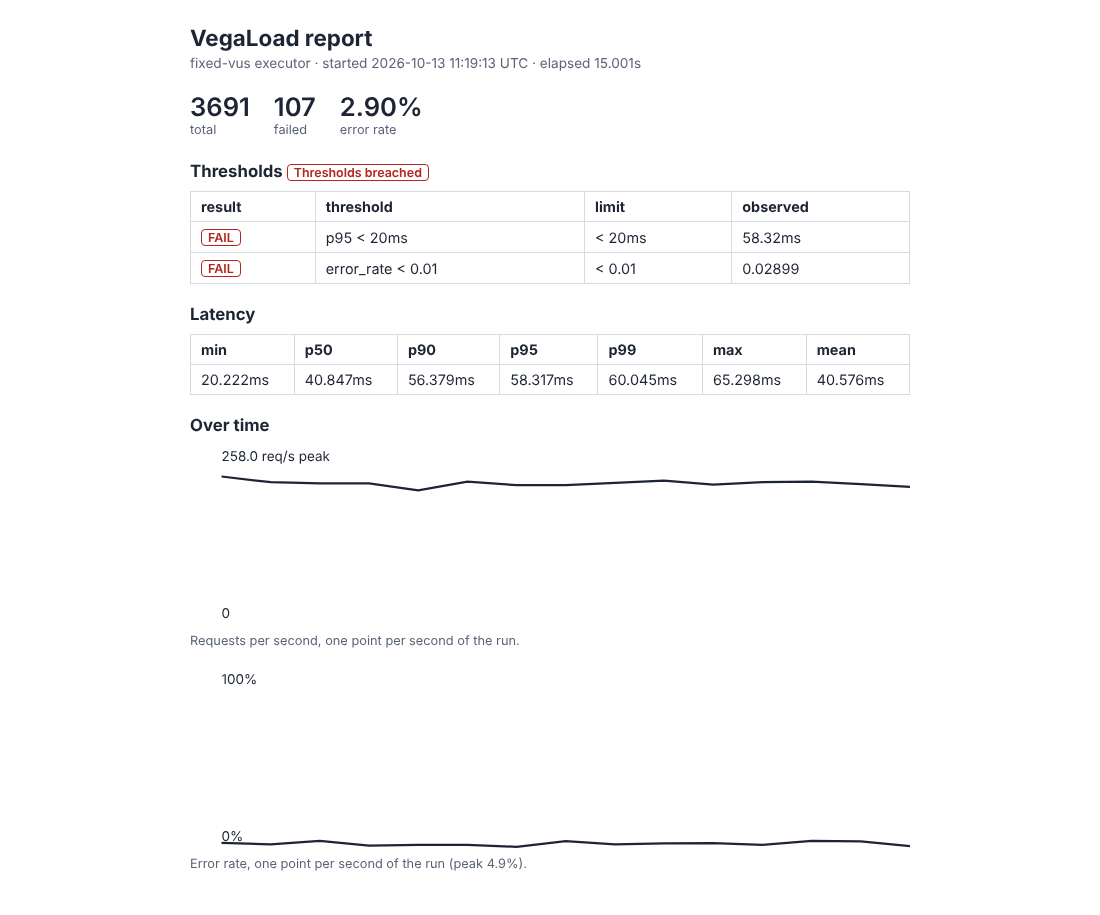
fixed-vus summary
  elapsed:  15.001214614s
  total:    3691
  failed:   107
  mean:     40.575737ms

thresholds
  FAIL  p95 < 20ms  (observed 58.32ms)
  FAIL  error_rate < 0.01  (observed 0.02899)
  thresholds breached
total is the number of calls. failed is the number that returned an error. A threshold line shows the limit you set and the value VegaLoad saw.
The exit code
These are the codes you will see most.
| Exit code | Meaning |
|---|---|
| 0 | The run finished. Every threshold you set passed. |
| 2 | VegaLoad refused to start. For example, the host is not on the allow-list. |
| 3 | A threshold or the baseline gate failed. |
A run with no threshold exits 0 even if every call failed. Always set a limit when a pass or fail matters. For example: -threshold 'error_rate < 0.01'.
The HTML report
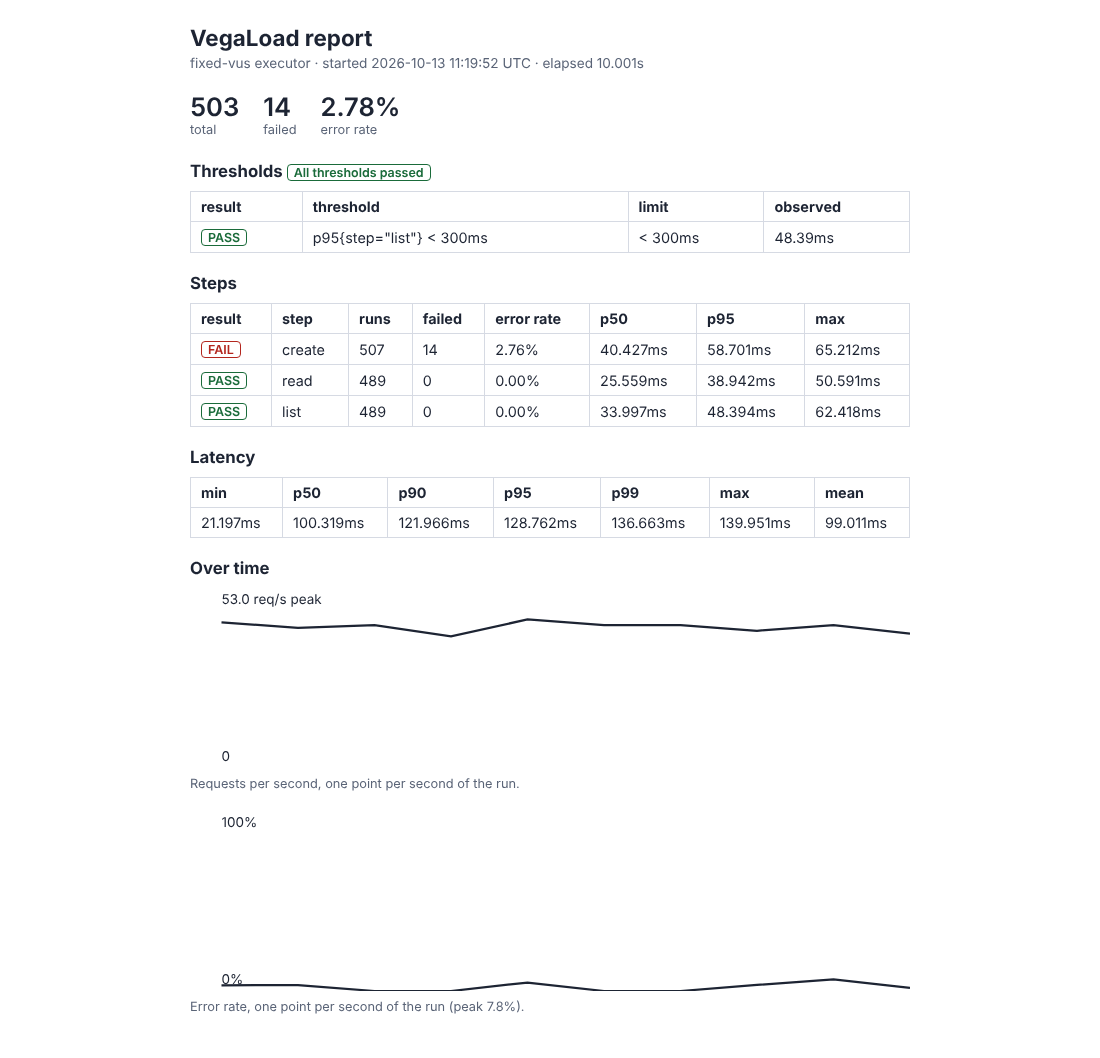
The top shows the total, the failed count and the error rate. The sections follow in this order.
Thresholds. One row per limit, with PASS or FAIL, the limit and the observed value. The badge on top says "All thresholds passed" or "Thresholds breached".
Steps. This appears when the scenario wraps stages in step(name, fn). Each step has its own runs, failed count, error rate and p50, p95 and max latency. A step shows FAIL if any of its runs failed. That is not the same as a threshold. A threshold can target a step: -threshold 'p95{step="list"} < 300ms'.
Protocols. This appears when the run made calls over more than plain HTTP. Each protocol has its own calls, failures and latency. A threshold can target one: -threshold 'p95{protocol="ftp"} < 500ms'.
Latency. The distribution of response times: min, p50, p90, p95, p99, max and mean. With steps, this row is for the whole iteration. The step table has the per-step numbers.
Over time. Two small charts, one point per second. One shows requests per second. One shows the error rate. A dip or a spike here tells you when something changed.
The JSON summary
-out run.json writes the same numbers as the report. Times are in nanoseconds, in fields that end in _ns.
| Field | What it holds |
|---|---|
executor, started_at, elapsed_ns | How the run was shaped, when it began, how long it ran |
total, failed, error_rate | The call counts. error_rate is a fraction, so 0.029 is 2.9% |
latency | min_ns, mean_ns, max_ns, p50_ns, p90_ns, p95_ns, p99_ns |
time_series | One entry per second: requests, failed, rps, error_rate |
thresholds | One entry per limit: name, metric, operator, value, observed, passed |
thresholds_passed | true only if every limit passed. Absent if you set none. |
steps | One entry per step, with its own counts and latency |
protocols | One entry per protocol, with its own counts, latency and operations |
An agent reads this file with the get_results tool.
The JUnit file
-junit junit.xml writes one test case for each threshold, check and baseline gate. CI systems such as GitHub Actions, Jenkins and Harness CI show them as tests. The totals and the p95 are in the file as properties.
Compare with an earlier run
Save the JSON from a good run. Pass it on the next run:
vegaload run -target http://localhost:8080/widgets -protocol http1 \
  -vus 10 -duration 30s -baseline baseline.json -max-regression 10
If p95 or the error rate is more than 10% worse, the run exits 3. With no -max-regression, any increase fails. VegaLoad keeps no baseline store. The file is yours to keep, for example in the repo.
Explain a bad run
vegaload diagnose run.json
This prints rule-based findings: the failure rate, a long latency tail, and whether failures came in a burst or were spread out. An agent uses the diagnose_failure tool for the same job.